
Acoustic Synchronization and Audio Latency Mitigation in Video Playback
Examine the technical mechanisms behind audio latency, signal processing delays, and synchronization protocols in high-resolution video playback.

The Mechanics of Lip-Sync Error and Data Parsing
Sound and image must arrive together. When they do not, a speaker's lips move out of step with their words, and the disconnect is immediate and distracting. This timing relationship—known as audio-video synchronization—measures how closely the audio track aligns with the corresponding video track during playback.
A lip-sync error happens when that alignment slips. The cause is rarely a flaw in the file itself. More often it comes from how a system processes two streams that travel separate paths before reaching your eyes and ears. The following sections explain where these delays originate and how playback applications correct them.
High-Resolution Decoding Demands
High-resolution video is a common trigger for synchronization drift. A 4K stream holds far more data per frame than its accompanying audio track. Decoding that visual data takes longer, so the audio—lighter and faster to process—can reach the speakers before the matching frame is drawn on screen. The result is sound that runs ahead of the picture. Recognizing this asymmetry between video weight and audio weight is the first step toward correcting it.
Algorithmic Delay and Signal Mismatches
Within any playback system, components work at different speeds. The processor handling video decode does not move at the same pace as the path carrying audio output. When the gap between them grows, synchronization breaks. Dense container formats make this more pronounced. An MKV or MP4 file packed with compressed visual data places a heavy computational load on the decoder.
"True fidelity isn't just about resolution; it's about the temporal integrity of the entire media experience. GOM Player+ ensures every syllable lands exactly when the lips part."
Managing Network Latency and Bluetooth Outputs
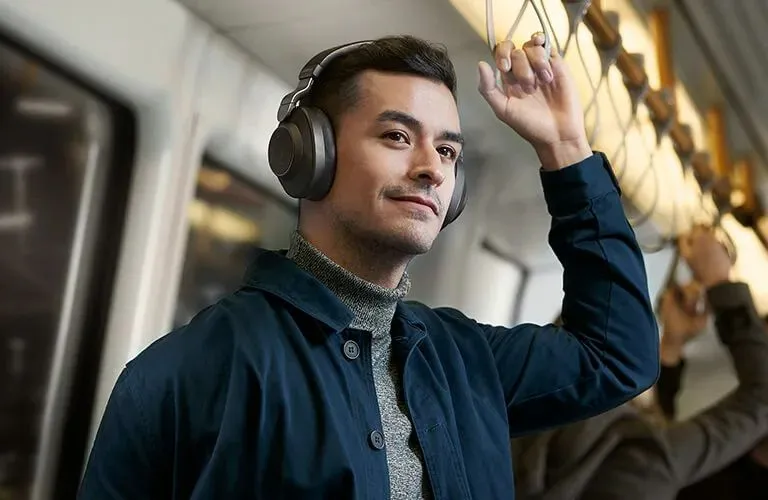
Wireless audio adds a delay that wired connections never face. A signal sent to Bluetooth headphones or a soundbar must be encoded, transmitted over the air, and decoded again before any sound emerges. Each stage costs time, and the total is enough to push audio behind the picture. This latency varies by device, codec, and connection quality, which makes a single automatic correction impractical.
Many media tools address it with manual control instead. A built-in sync adjustment lets you shift the audio track forward or backward in small increments until it matches the visual frame. If you only remember one thing about wireless playback, let it be this: the delay is predictable for a given setup. Once you find the right offset, the same value tends to hold across sessions.
Container Multiplexing and Time-Stamp Calibration
Media containers do not leave timing to chance. Each one embeds presentation time stamps—markers that specify exactly when a given audio segment should meet its corresponding visual frame. During normal playback, these stamps keep both streams locked together from start to finish. The system breaks down when the stamps themselves are damaged.
A corrupted file or an interrupted download can leave these markers incomplete or inconsistent. With unreliable reference points, the audio begins to drift, and the gap widens as the video continues. Resilient applications plan for this failure. Instead of trusting damaged stamps alone, they apply fault-tolerant parsing that cross-references the internal clock rates of each stream.
Precision Playback with GOM Player+
The principles above point toward a practical question: which application handles them reliably? GOM Player+ is a local media player built for high-resolution files, including UHD and 4K, and it runs without advertisements interrupting playback.
Its synchronization tools matter most in the context of this discussion. Manual audio sync controls let you correct the wireless and decode delays described earlier, while resilient parsing keeps timing intact when a file's structure is damaged. Around those capabilities, the player consolidates several processing features:
- AI Video Upscaling evaluates frames to remove digital noise, reduce motion blur, and reconstruct fine detail.
- AI Voice Recognition Subtitle Generator analyzes audio frequencies to produce SRT subtitle files in more than 90 languages, drawn directly from your media.
- Broad format support covers AVI, MP4, MOV, MKV, FLV, and WMV through internal codec discovery, removing the need for separate decoders.
- Resilient playback opens incomplete, corrupted, or still-downloading files without crashing.
- Subtitle archive of over 220,000 multilingual files that search, link, and synchronize automatically during playback.
- Multi playback displays up to four videos on one screen at once for side-by-side viewing.
Taken together, these tools cover the full timing chain—decoding the container, buffering each stream, and recalibrating against damaged stamps—inside a single environment. For viewers who depend on accurate sound-to-image alignment, that consolidation is the practical takeaway: address latency at its source rather than tolerating drift.
Precision Engineered Features
AI Video Upscaling
Breathe new life into legacy media. The App leverages neural networks to intelligently upscale standard definition content to near-4K clarity.
AI Voice Recognition
Automated transcription accuracy. The App can generate synchronized subtitles on-the-fly for unsupported languages or obscure files.
Broad Format Support
An encyclopedic codec library ensures the App plays virtually any file format out of the box, without requiring external downloads.
Seamless Integration
Download the App
Secure the executable from our verified servers.
Run the Installer
A swift, bloat-free setup process configures your environment.
Play Any File
Drag and drop media into the App for immediate, flawless playback.
Inquiries
Clarifications regarding the App's capabilities.
How does the App handle extreme audio latency in corrupted files?
The App employs an aggressive resync protocol, allowing manual shift tuning up to +/- 5 seconds, ensuring even severely desynchronized media remains watchable.
Are specific hardware requirements needed for 4K playback?
While the App utilizes highly optimized codecs, decoding 4K natively requires a modern multi-core processor or a dedicated GPU supporting hardware acceleration for smooth playback without frame drops.
What distinguishes GOM Player+ from the standard edition?
The Plus edition is entirely ad-free, features enhanced UI responsiveness, prioritizes high-resolution decoding pipelines, and includes premium customer support channels.
Elevate Your Media Experience Today.
Get GOM Player+
Disclaimer: This page is a paid advertorial brought to you by enfentrusa.com. It is intended for promotional purposes only and should not be considered independent journalism, editorial content, or consumer advice. The content has been created or curated by the advertiser and may include affiliate links. We may receive compensation if you choose to purchase a featured product or service via the links provided. Please refer to our Advertising Disclaimer and Privacy Policy for more information.